5 free patient slots · try it in practice · no subscription
Steps in CephCalc
1. Models and biometrics
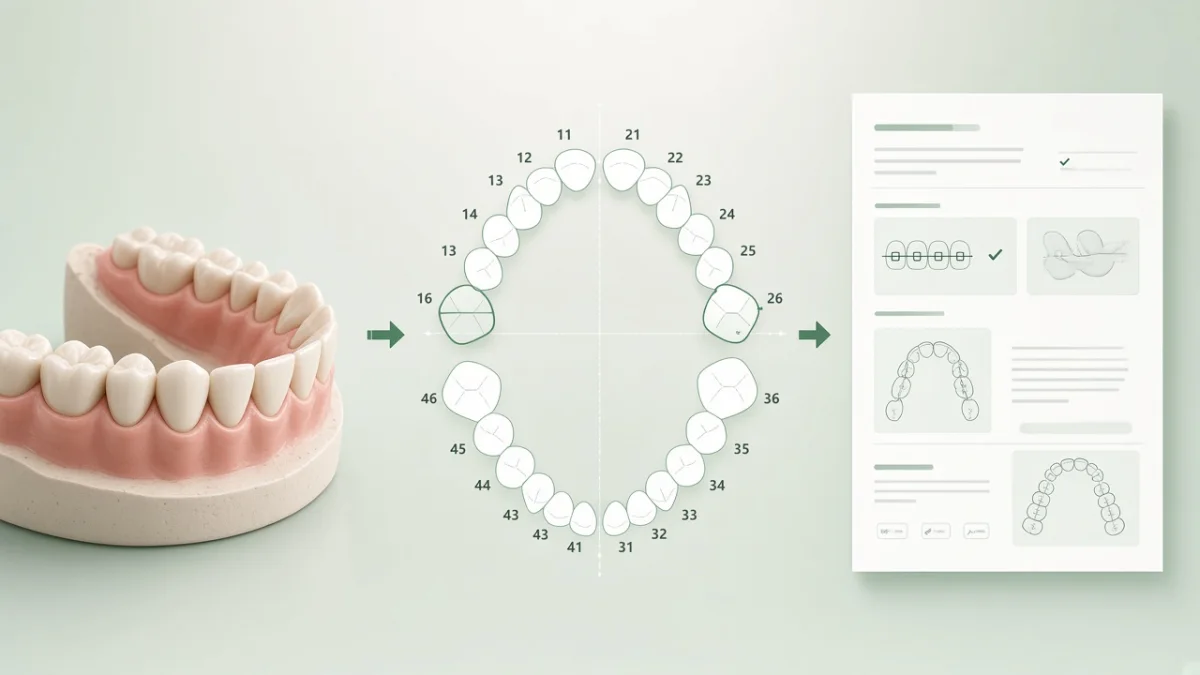
Create a patient, open biometrics, pick the dentition stage. Enter mesiodistal widths. Run Bolton (6/6 and 12/12) and Pont — add Tanaka–Johnston in mixed dentition and Little for anterior crowding.
2. Space deficiency
Biometric outputs feed the clinical picture. You can pull millimetres into the treatment plan as space-planning inputs.
3. Space plan
Fill deficiency, inclinations, segments 3–3…6–6, distalization, derotation, IPR. After calculation you get the weighted “Space” summary.
4. Two forms from one grid
Print or download the braces PDF (prescription, positioning, restorations) or the aligner lab brief (upper/lower and bite goals). Same numbers, two documents.
Why this path
The clinician sees tooth size → space → form. Search gets a unique useful scenario instead of four near-duplicate SEO pages.
Start for free
From model to form: biometrics → plan → documents
This page describes the product workflow. Clinical decisions stay with the clinician.
Usamos dados técnicos do navegador para operação do site, autenticação e análise. Serviços de terceiros (incluindo Yandex.Metrica) também podem armazenar dados no seu navegador.